By the ARealMe Team
Most of what we make at ARealMe is for fun. Quizzes, tests, small games for a coffee break.
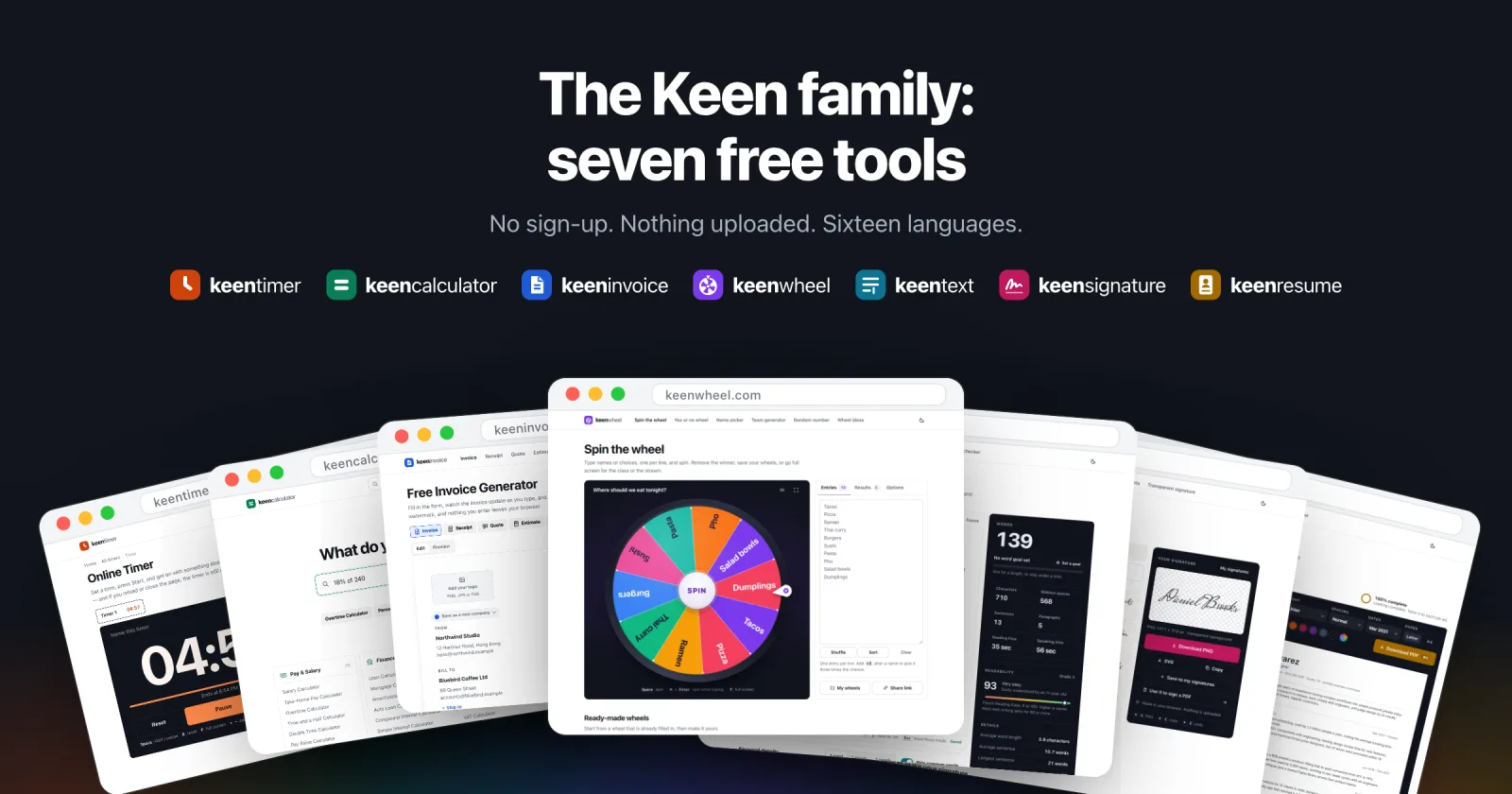
This post is about something different. Over the past months we built seven plain, useful tools, and we call them the Keen family. The first ones we made because we needed them ourselves. We use them every day now, and we think they are ready for you too.
Why we built our own
Running a small company comes with a lot of small jobs. You time a meeting. You work out a percentage before you answer an email. At the end of the month, you send invoices, and you pay the ones other people sent you.
None of this is hard. But the tools we found kept getting in the way. Some wanted an account before they would do anything. Some were so crowded that the one thing we came for was hard to find. And the invoice tools wanted us to type our clients’ names and amounts into a website, with no clear idea of where that data would end up.
So we gave ourselves a few rules:
- Free, with no sign-up. Open the page and start.
- Your data stays in your browser. What you type is not uploaded, and there is no account to forget.
- One clear job per page. Easy to read, and just as easy on a phone.
- Numbers you can trust. A timer that keeps real time, and math you can check.
- 16 languages. Every site works in English, Spanish, Portuguese, French, German, Italian, Dutch, Polish, Russian, Turkish, Indonesian, Thai, Korean, Japanese, and Simplified and Traditional Chinese.
All seven tools follow these rules. Here is what each one is for:
- KeenTimer for timers, a stopwatch and clocks.
- KeenCalculator for money, health, dates and school math.
- KeenInvoice for invoices, receipts and quotes.
- KeenWheel for spinning a wheel, picking names and making teams.
- KeenText for counting words and cleaning up text.
- KeenSignature for making a signature and signing a PDF.
- KeenResume for resumes, CVs and cover letters.
KeenTimer: a timer that keeps time
KeenTimer is an online timer. Pick a time, press Start, and it counts down to an alarm. That is the whole idea, and we worked hard to keep it that simple.
The part you don’t see is the part we are proudest of. Many web timers count ticks, and browsers slow those ticks down when a tab is in the background. Over a long countdown, the timer falls behind. KeenTimer remembers the moment it should end and works out the time left from your clock. Switch tabs, let your laptop get busy, even reload the page. It still rings on time.

A few things we use all the time:
- Keyboard shortcuts. Space starts and pauses, F goes full screen, and you can type a time with the number keys.
- More than one timer. Add another timer, give it a name like “Pasta” or “Standup”, and keep several going at once.
- Full screen for a classroom, a talk or a workout, with the screen kept awake.
- Timers for real tasks. There is a Pomodoro timer, a stopwatch, a chess clock, interval timers, a metronome, a world clock, and dozens of ready-made timers for things like brewing coffee or doing a 7-minute workout.
KeenCalculator: type the question, get the answer
KeenCalculator has 439 calculators. Mortgage payments, take-home pay, overtime, BMI, percentages, dates, unit conversions and school math. Whenever we had to work something out more than once, it tended to become a calculator.
The quickest way in is the box at the top of the home page. Type “18% of 240” and the answer, 43.2, shows up right under it. Or type a word like “mortgage” and jump straight to the right calculator.
Each calculator gives you the full picture, not just one number. The mortgage calculator, for example, adds property tax, insurance, PMI and HOA dues to show the payment that actually leaves your account. Then it shows where each part of that payment goes.
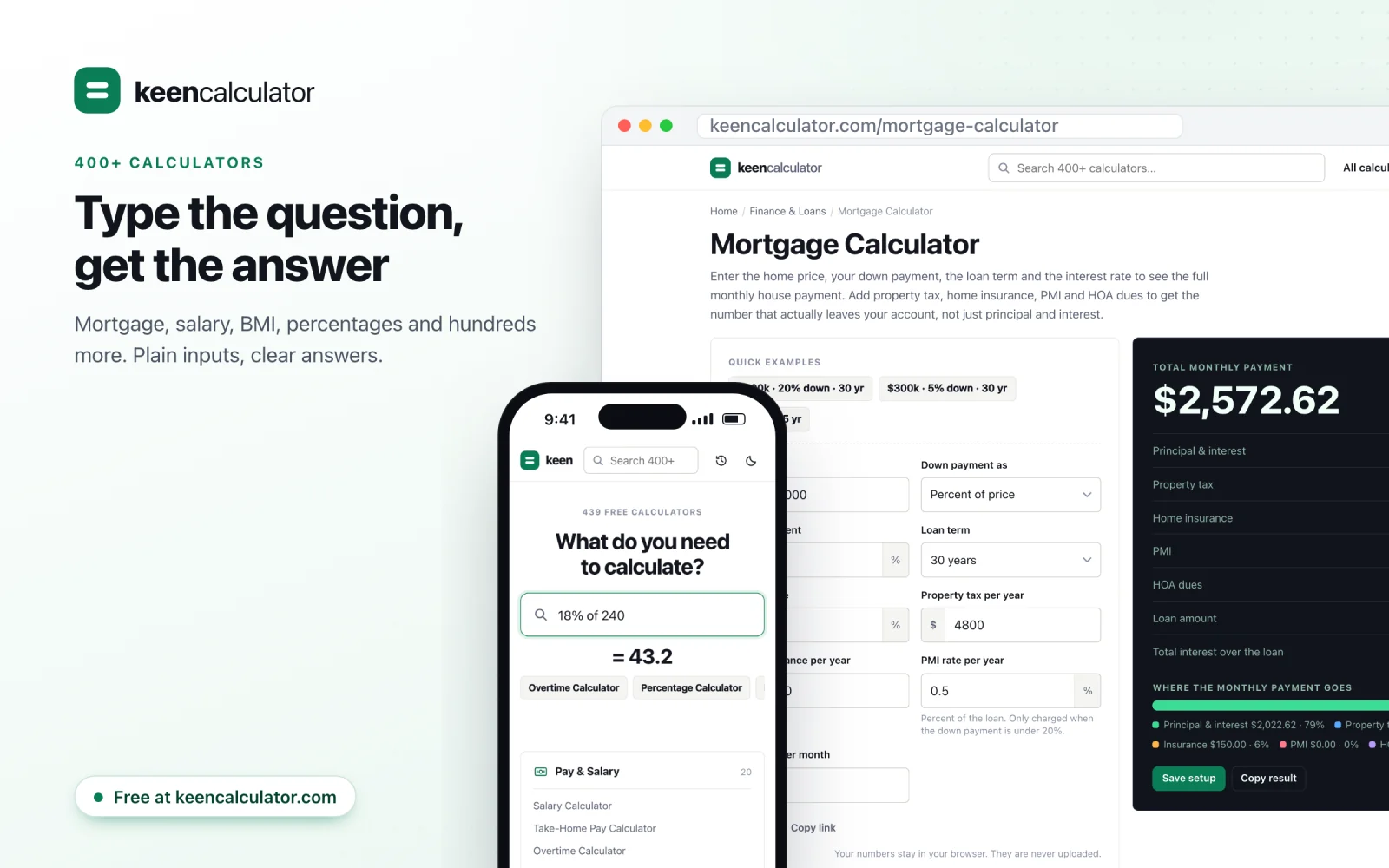
You can pin the calculators you use most to the home page, save a setup to use again, and copy a result with one click. Your inputs, saved setups and history stay on your device.
KeenInvoice: invoices that add up
KeenInvoice started with a mistake.
For years, our invoices lived in a folder of templates in Google Drive. Every month we copied last month’s file and edited it. That worked, until it didn’t. An invoice number that never got changed. Last month’s date. A total that no longer matched the lines above it. Nobody noticed at the time. An auditor noticed months later, and sorting it out took far longer than writing the invoices ever did.
A document template can’t count, and it can’t remind you what to change. KeenInvoice does both:
- Numbers count up by themselves. If your last invoice was INV-0041, the next one is already INV-0042. If you bill from more than one company, each one keeps its own series.
- The math is done for you. Line totals, discounts, tax, shipping, deposits and the balance due update as you type. The PDF uses the very same numbers.
- Templates hold the parts that never change. Your logo, signature, bank details and notes come along every time.
- Many invoices at once. The bulk invoice generator turns a table, or a paste from a spreadsheet, into a stack of numbered invoices.
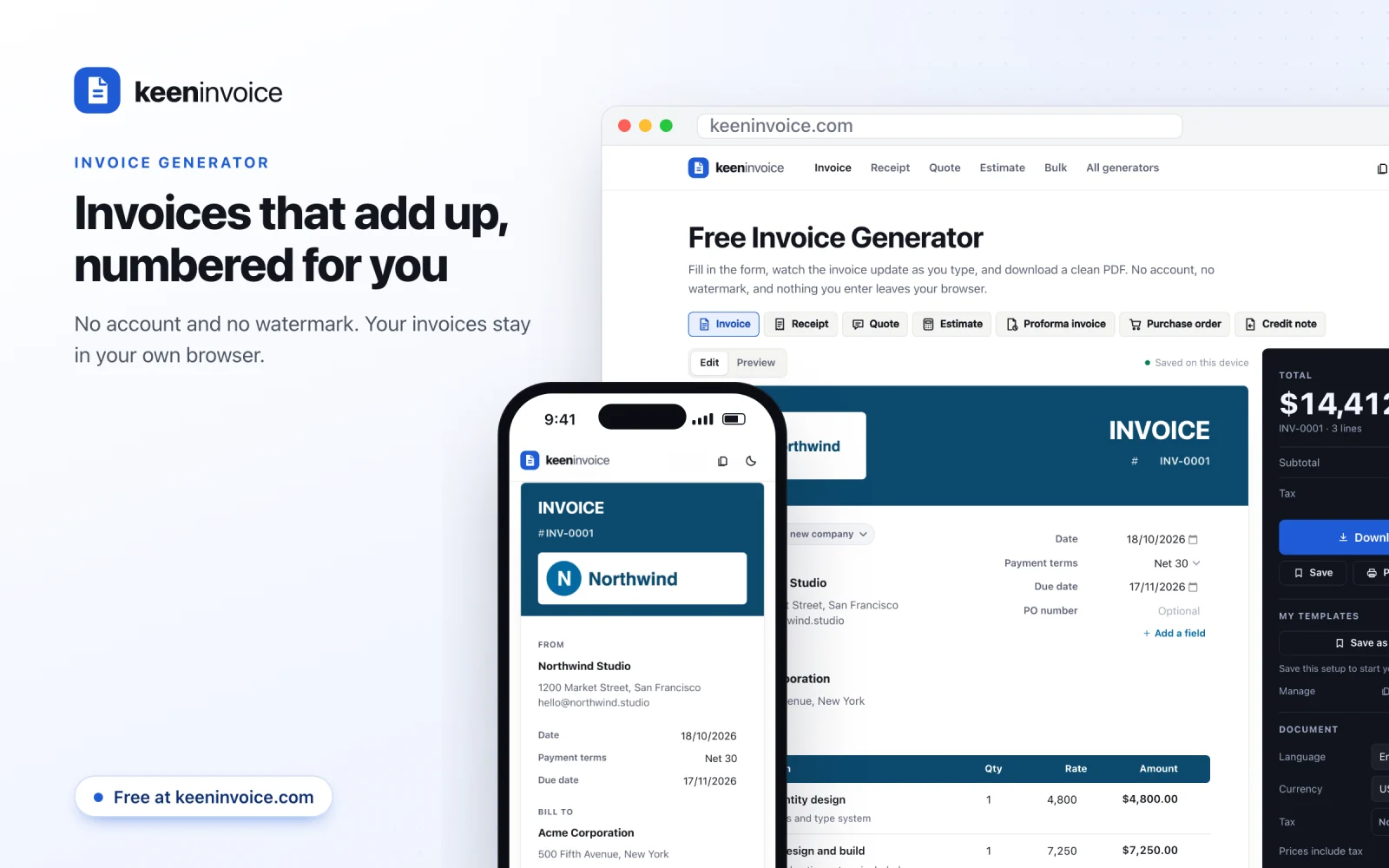
It also makes receipts, quotes, estimates, proforma invoices, purchase orders and credit notes. Everything you make is listed in My documents, with paid and overdue status and a CSV export.
KeenInvoice keeps everything in your browser, like the rest of the family. There is one trade-off worth knowing: your data lives where you made it. To move to another computer, or just to be safe, use Export backup in My documents, then import that file on the other side.
KeenWheel: spin the wheel and let chance decide
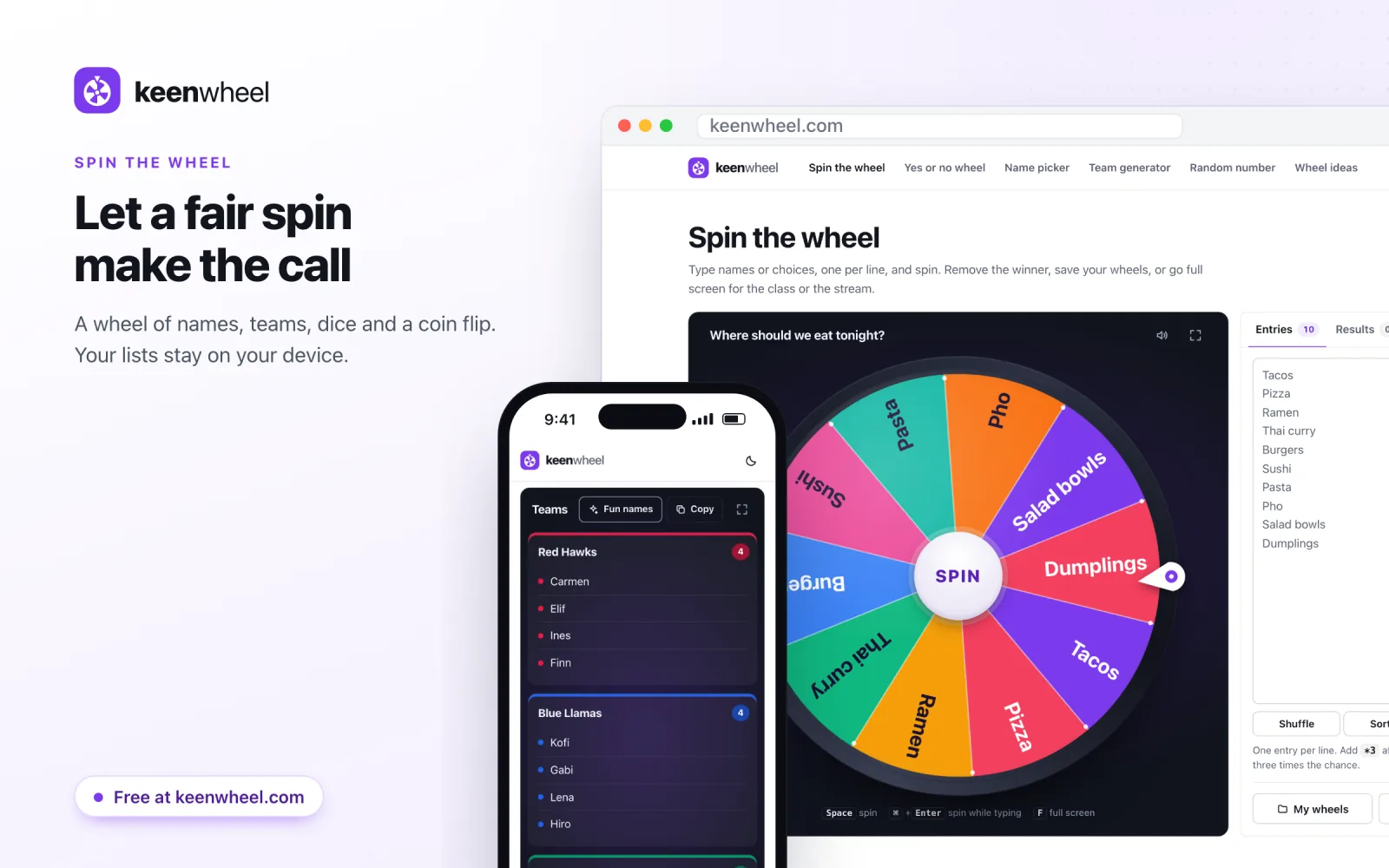
KeenWheel is a spin-the-wheel picker. Type your names or choices, one per line, and press Spin. Use it to pick who answers next in class, who goes first in a game, or where to eat tonight.
The winner is picked before the wheel starts to move. It comes from the same kind of random numbers your browser uses for passwords, so every entry has the same chance. If you want one entry to come up more often, add a star and a number after it. Its slice grows to match, so the wheel always shows the real odds.
When the wheel stops, you can remove the winner, so nobody is picked twice before everyone has had a turn. Every result goes into a list with the time. You can save as many wheels as you like, share one as a link, or press F to fill the screen for a class or a stream.
There is more than the wheel:
- A random name picker that draws one name or several at once.
- A team generator that splits a list into even teams, and gives them fun names if you like.
- A yes or no wheel, a random number generator, a dice roller and a coin flip that keeps a running tally.
Don’t feel like typing a list? Start from one of the 161 ready-made wheels. There are wheels for dinner ideas, truth or dare, chores, workouts, classroom games and a lot more. Each one is already filled in. Spin it as it is, or change the entries and save it as your own.
KeenText: a word counter that keeps your text private
KeenText is a word counter. Paste or type your text, and it shows words, characters, sentences, paragraphs, reading time and speaking time as you write. It also gives you a readability score and a list of the words you use most, so you can spot the one you keep repeating.
You can set a goal, like at least 1,500 words for an essay. Or set a limit, like at most 250 words for an application. The bar fills as you write and turns red if you go over. Your text is saved in this browser as you type, so it is still there if you close the tab. It is never uploaded.
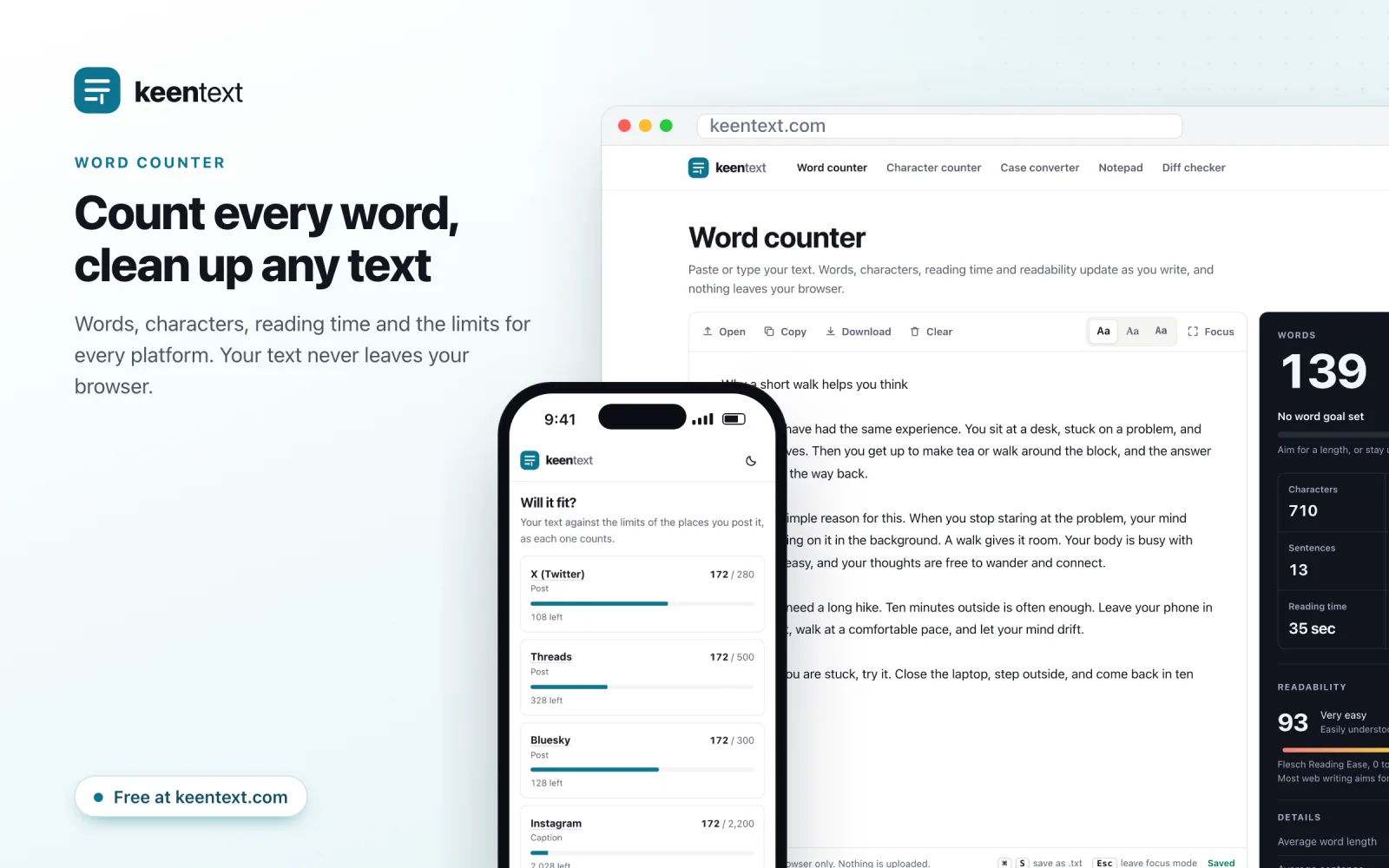
The character counter checks your text against the limits on X, Instagram, LinkedIn, YouTube, Google and text messages, all at once. The menu also has a case converter, an online notepad and a diff checker to compare two texts. There is a text cleaner for messy spaces and line breaks, and generators for usernames, random words and placeholder text.
Two parts of KeenText answer questions people ask all the time:
- The word count guides cover things like how many pages 1,000 words is, or how many words fit in a five-minute speech. There are 70 of them, and each one has a small calculator.
- The character limits pages list the maximum length for 56 posts, bios, titles and fields, from an X post to a YouTube title. Each page has a counter set to that limit.
KeenSignature: your signature, ready in seconds
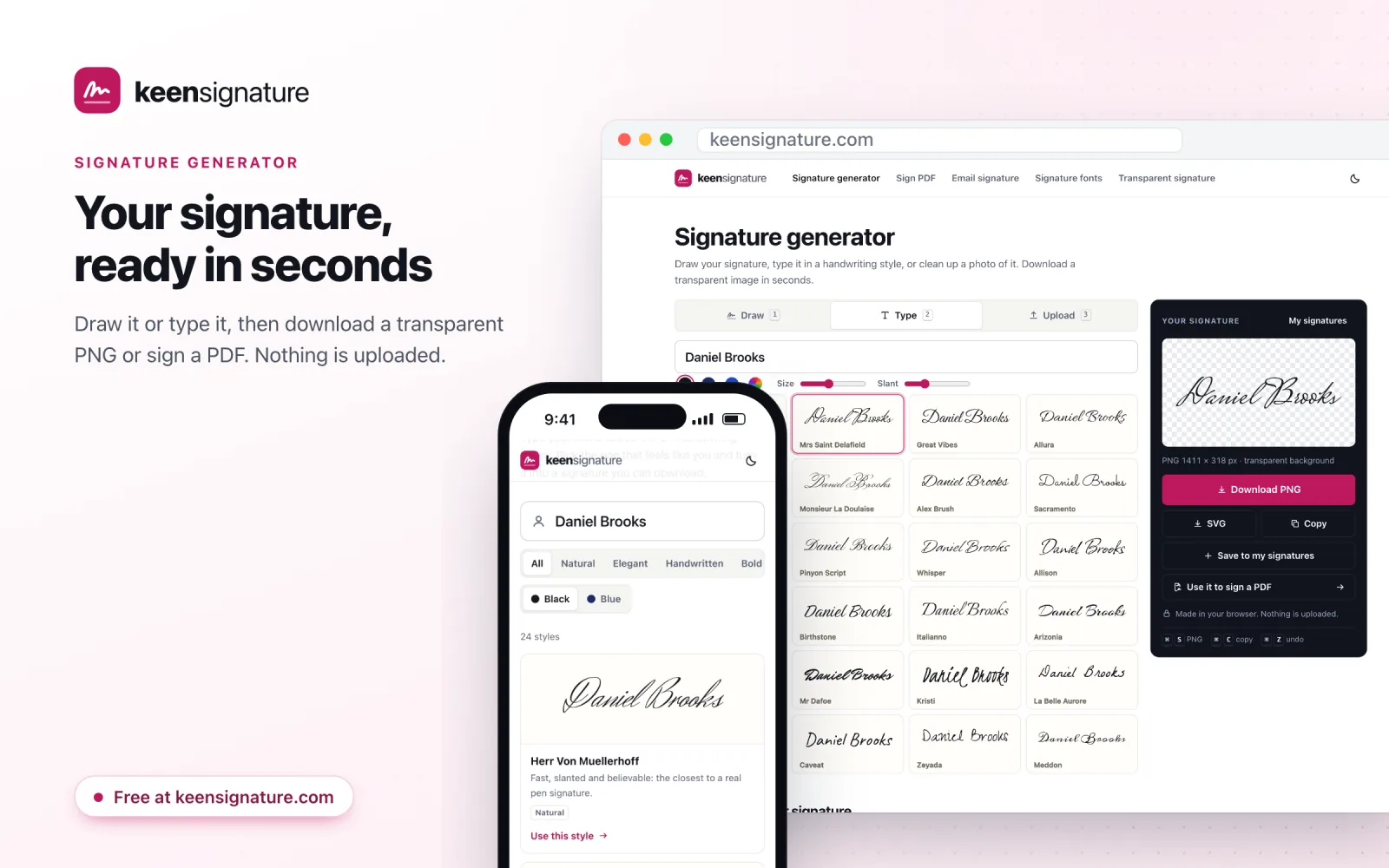
KeenSignature is a signature generator. There are three ways to make your signature. Draw it on the pad with a mouse, a trackpad or your finger. Type your name and pick one of 24 handwriting styles. Or upload a photo of your signature on paper, and it removes the paper and keeps the ink.
You get a transparent PNG, so the signature sits on the line like real ink instead of in a white box. Drawn and typed signatures can also be saved as SVG. You can keep the ones you like in this browser for next time.
Then put it to work:
- Sign a PDF adds your signature, your initials, the date or a note to any page, and gives you the signed file. The PDF is opened and saved inside your browser. That matters when the file is a contract, a lease or a bank form.
- The email signature generator makes a neat signature with your name, title, photo and social links, ready to paste into Gmail, Outlook or Apple Mail.
- Signature fonts shows your name in all 24 styles, side by side.
If you want ideas, signature ideas by name covers 336 first names, with tips based on the letters in each one. And famous signatures tells the stories behind 56 signatures from history, from Shakespeare and Mozart to Van Gogh.
KeenResume: a free resume builder with no catch at the end
KeenResume is a resume builder. Start from a finished example or a blank page, fill in your details, pick a design and download the PDF. There is no account, no watermark and no payment at the end. A lot of free resume builders let you spend an hour on your resume and then ask for money to download it. This one doesn’t.
The preview shows the real page, page breaks and all, exactly as the PDF will look. The PDF has real, selectable text, so applicant tracking systems can read it. Your resume saves itself in this browser as you type, and you can keep several versions, one for each kind of job.
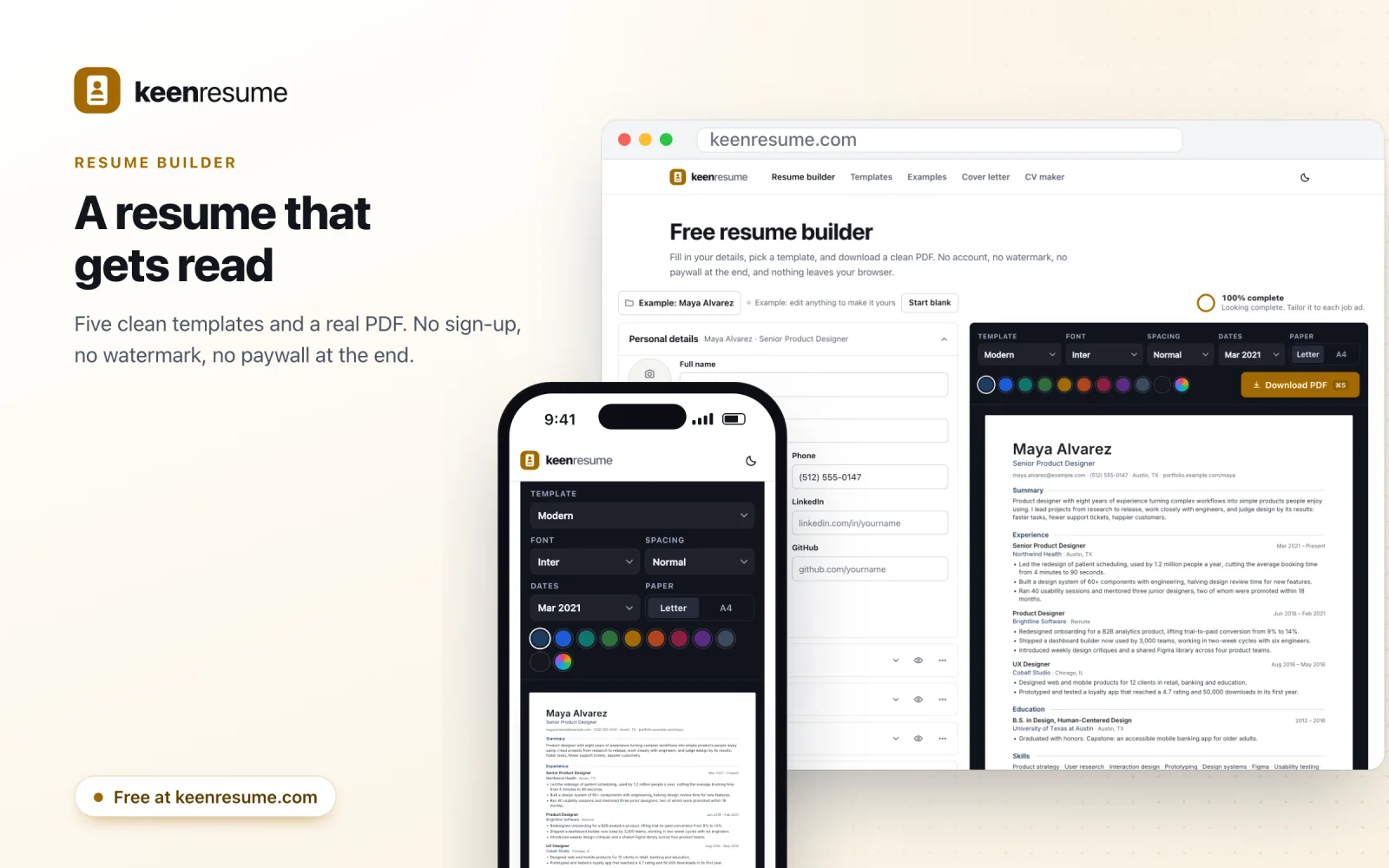
- The resume templates are five clean designs: Modern, Classic, Two-column, Minimal and Executive. You can switch at any time without typing anything again.
- The cover letter generator writes your letter in the same design as your resume, with a simple four-part structure to guide you.
- The CV maker is set up for jobs in the UK, Europe and academia, with A4 paper, an optional photo and room for publications.
- The resume examples are 199 finished resumes, from a student’s first job to a vice president. Each one comes with a recruiter’s notes and opens in the builder as your starting point.
There is also one page made for a single market: a rirekisho maker, in Japanese only, for the standard resume form used in Japan.
Tell us what is missing
We built these tools for our own work, so they fit our habits best. Yours may be different. If a calculator you need is missing, a timer does something odd, or a page could be clearer, we would like to hear about it. Every site has a contact page and its own email address:
- KeenTimer: hello@keentimer.com, or the KeenTimer contact page
- KeenCalculator: hello@keencalculator.com, or the KeenCalculator contact page
- KeenInvoice: hello@keeninvoice.com, or the KeenInvoice contact page
- KeenWheel: hello@keenwheel.com, or the KeenWheel contact page
- KeenText: hello@keentext.com, or the KeenText contact page
- KeenSignature: hello@keensignature.com, or the KeenSignature contact page
- KeenResume: hello@keenresume.com, or the KeenResume contact page
And if you are still copying last month’s invoice by hand, let KeenInvoice make the next one. The number will be right.
Comments could not be loaded. Check your connection and try again.